


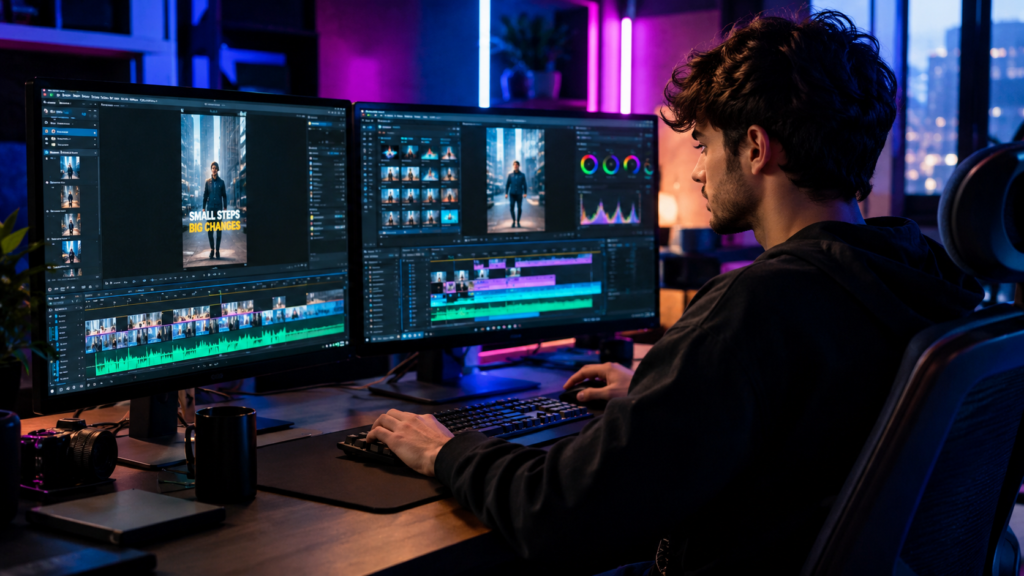
How to Edit YouTube Shorts for More Views in 2026
How to Edit YouTube Shorts for Getting More Views
If you want to learn how to edit YouTube Shorts that people actually stop scrolling for, the biggest mistake is treating Shorts like shortened versions of long-form videos.
Shorts need a different editing mindset.
The first few seconds have to create a reason to keep watching. Every cut should serve the story. Captions need to be easy to follow. Visual changes should maintain attention without making the video feel chaotic.
And in 2026, creators have more competition than ever for attention. YouTube itself gives creators useful signals such as Viewed vs. Swiped Away and Average View Duration, making it easier to identify whether a Short is holding attention or losing viewers.
So if your Shorts are getting impressions but people keep swiping away, the problem may not be your topic. Your edit could be giving viewers a reason to leave.
What Makes a YouTube Short Worth Watching?
A strong Short usually does three things quickly:
It creates curiosity.
It delivers value or entertainment.
It gives viewers a reason to keep watching.
That sounds simple, but editing determines how effectively those three elements come together.
A weak opening can make a good idea feel boring. Long pauses can make useful information feel slow. Random transitions can distract from the message. Captions that appear too late can make the video difficult to follow.
The goal isn’t to add more effects.
The goal is to remove anything that makes the viewer want to swipe.
1. Start With a Strong Hook
Your opening is one of the most important parts of a Short.
Instead of starting with:
“Hey guys, welcome back to the channel…”
get to the interesting part.
Try opening with:
- A surprising result
- A strong opinion
- A question
- A mistake people commonly make
- A quick transformation
- A problem the viewer wants solved
- The most interesting moment from the original video
For example:
Weak:
“Today I’m going to explain three ways to improve your videos.”
Stronger:
“Your videos may be losing viewers because of this one editing mistake.”
The second version creates curiosity immediately.
Your editor should also be willing to restructure the opening when necessary. A good Short doesn’t have to begin where the original recording began.
2. Remove Every Unnecessary Pause
One of the simplest YouTube Shorts editing tips is also one of the most effective: tighten the pacing.
Remove:
- Long pauses
- Repeated sentences
- Unnecessary introductions
- Dead air
- Filler words when appropriate
- Sections that don’t move the story forward
But don’t cut every natural pause.
If every sentence is aggressively chopped, the Short can feel robotic.
Good pacing means knowing when to cut and when to let a moment breathe.
The goal is controlled speed, not maximum speed.
3. Use Captions to Make the Message Easier to Follow
Captions are now a major part of short-form video editing.
They can help viewers follow dialogue, understand key points, and stay engaged when they aren’t relying entirely on audio.
But captions shouldn’t cover the screen with huge blocks of text.
Keep them:
- Easy to read
- Well-timed
- Visually consistent
- Positioned away from important subjects
- Emphasized selectively
Highlighting one important word or phrase can be more effective than animating every word.
The best caption style should support the speaker rather than compete with them.
4. Add Visual Changes With a Purpose
Pattern interrupts can help reset attention, but random effects aren’t the answer.
Useful visual changes include:
- B-roll
- Punch-ins
- Reframing
- Screenshots
- Relevant images
- Text callouts
- Screen recordings
- Quick angle changes
- Simple motion graphics
For example, if someone says:
“This is the mistake costing you customers…”
showing a relevant screen recording or visual example can make the statement more engaging than leaving the same talking-head shot on screen.
Every visual should have a job.
If it doesn’t add context, emotion, clarity, or momentum, it may not need to be there.
5. Edit for Retention, Not Just Aesthetics
A Short can look fantastic and still perform poorly.
That’s because attractive editing and effective editing aren’t always the same thing.
Look at the viewer journey:
Hook → Setup → Value → Payoff
Then ask:
- Is the hook strong enough?
- Does the video get to the point quickly?
- Is there unnecessary information?
- Does each visual support the message?
- Is there a reason to watch until the end?
YouTube’s analytics can help identify where your content is working and where viewers may be losing interest. Viewed vs. Swiped Away and Average View Duration are particularly useful signals to examine when improving Shorts.
The data should influence the next edit.
6. Turn Long-Form Content Into More Shorts
If you’re already recording podcasts, interviews, tutorials, webinars, or long YouTube videos, you may already have dozens of potential Shorts.
The challenge is finding the moments worth turning into standalone clips.
Don’t simply cut random 30-second sections.
Look for moments containing:
- Strong opinions
- Surprising statements
- Useful advice
- Emotional reactions
- Interesting stories
- Questions and answers
- Unexpected results
- Clear before-and-after moments
Then rebuild the clip for vertical viewing.
That may require a new opening, tighter pacing, different framing, captions, and a stronger ending.
If you’re also planning long-form videos, our guide to [choosing the best YouTube video length for 2026] can help you think about the relationship between long-form content and your Shorts strategy.
7. Make Vertical Framing Work for the Story
A horizontal video cannot always be dropped into a 9:16 frame and expected to look good.
For interviews and podcasts, the editor may need to:
- Reframe speakers
- Punch into faces
- Switch between speakers
- Use split-screen layouts
- Add supporting visuals
- Keep captions clear of faces and UI elements
This is particularly important when one original recording is being repurposed across multiple platforms.
The goal is for the Short to feel like it was made for vertical viewing, not simply cropped into it.
8. Don’t Overuse Trends
Trending sounds, transitions, templates, and visual styles can help, but copying every trend can make a channel look generic.
Your editing style should match your audience and content.
A finance Short may need a different visual language from a fitness creator, gaming channel, podcast, or personal brand.
Trends should support the content rather than replace the content.
That is also why a strong editor needs more than technical software skills. They need to understand pacing, audience expectations, storytelling, and platform-specific viewing behavior.
Should You Edit YouTube Shorts Yourself or Hire an Editor?
DIY editing can make sense when you’re starting out, testing content, or publishing only occasionally.
But the workload changes quickly when you’re publishing multiple Shorts every week.
A professional editor can help with:
- Clip selection
- Hook restructuring
- Tight cuts
- Captions
- Vertical reframing
- B-roll
- Sound design
- Visual pacing
- Consistent branding
The important thing is to hire someone who understands short-form retention, rather than simply someone who knows how to operate editing software.
If you want to outsource the production, The Cut Up provides professional Shorts editing support designed for creators who want consistent short-form content without handling every edit themselves.
How to Choose the Right YouTube Shorts Editor
Don’t judge an editor only by flashy transitions.
Ask to see examples similar to your content.
Look for:
- Strong opening hooks
- Clean captions
- Natural pacing
- Good visual hierarchy
- Appropriate use of B-roll
- Strong storytelling
- Consistent quality across multiple videos
Current hiring guidance also emphasizes platform-specific Shorts skills such as vertical formatting, hook optimization, captions, pacing, and understanding retention signals rather than generic editing ability.
If you publish across multiple platforms, you may also benefit from having one workflow that can adapt content for TikTok video editing rather than rebuilding every clip from scratch.
A Simple YouTube Shorts Editing Workflow
A repeatable workflow can make production much easier:
Step 1: Identify the strongest moment.
Step 2: Rewrite or tighten the opening hook.
Step 3: Remove pauses, repetition, and filler.
Step 4: Reframe the footage for 9:16.
Step 5: Add captions and highlight key phrases.
Step 6: Add relevant B-roll, screenshots, or visual changes.
Step 7: Clean the audio and balance background music.
Step 8: Watch the Short without sound and check whether the visuals still communicate the idea.
Step 9: Review the first few seconds specifically.
Step 10: Export, publish, and use performance data to improve the next Short.
This process creates a much stronger feedback loop than simply editing every video the same way.
How to Get Better Results From Every Short
The biggest improvement often comes from treating every Short as part of a larger content system.
One recording can become:
- A long-form YouTube video
- Multiple Shorts
- TikTok clips
- Social media posts
- Educational snippets
- Promotional content
That means your editing workflow should be planned before filming, not after the long-form video is finished.
If you want to build a consistent content pipeline rather than manage every edit yourself, The Cut Up can help turn your recorded footage into polished content designed for modern short-form platforms.
And when you’re ready to discuss your content requirements, contact The Cut Up to discuss your next project.
Frequently Asked Questions
1. How do you edit YouTube Shorts to get more views?
Start with a strong hook, remove unnecessary pauses, keep the pacing tight, use clear captions, and add visual changes that support the story. Then use YouTube analytics to identify which formats and openings keep viewers watching.
2. How long should a YouTube Short be?
There is no single ideal length for every Short. The right length depends on the topic, storytelling, and how quickly the video delivers its value. A shorter video that fully satisfies the viewer can outperform a longer clip padded with unnecessary content.
3. What makes a YouTube Short go viral?
There is no guaranteed formula for virality. Strong topics, compelling hooks, viewer satisfaction, effective pacing, and content people want to watch or share can all contribute to better performance.
4. Should I use captions on YouTube Shorts?
Captions can make dialogue easier to follow and emphasize important points, particularly for viewers watching without relying fully on audio. The key is keeping captions readable and synchronized with the speaker.
5. Is it worth hiring a YouTube Shorts editor?
It can be worthwhile if you’re publishing consistently and spending too much time selecting clips, editing captions, reframing footage, and creating multiple versions. A specialist can help you maintain a faster and more consistent publishing workflow.
Your footage already has the potential to become more content. The right edit turns the best moments into Shorts people want to keep watching. Ready to build a stronger short-form content pipeline? Talk to The Cut Up and turn your next recording into polished, engaging Shorts.